How to Avoid GSTR-1 vs GSTR-3B Mismatches: The 2026 Pre-Verification Guide
By Smart Bill Book Team • June 20, 2026
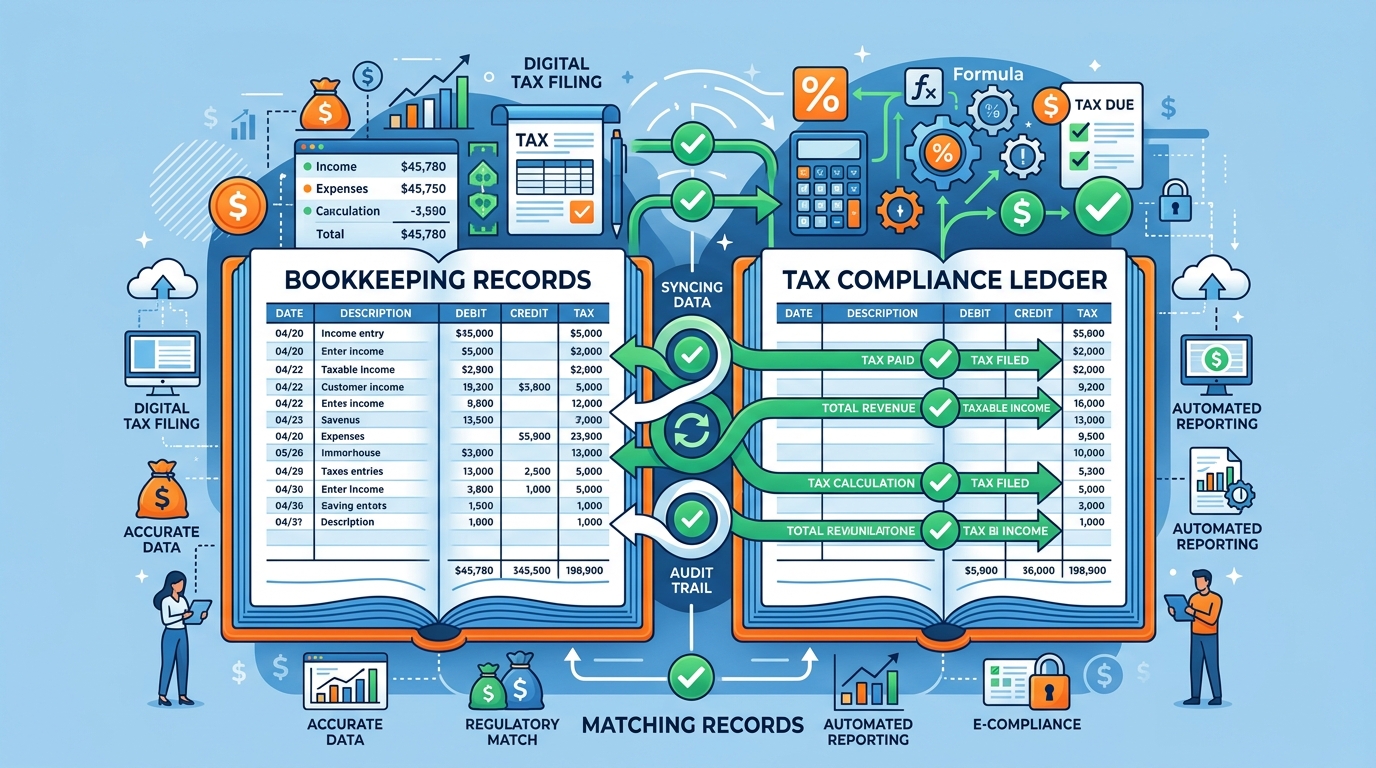
How to Avoid GSTR-1 vs GSTR-3B Mismatches: The 2026 Pre-Verification Guide
Tax compliance in India has undergone a massive digital transformation. If you are running a retail shop, a wholesale distribution business, or a small manufacturing unit, you can no longer afford to treat tax filing as a retrospective task. In 2026, the Goods and Services Tax Network (GSTN) utilizes automated, system-driven cross-checks to enforce a strict Zero Mismatch policy. One of the most common tax issues business owners face today is the GSTR-1 vs GSTR-3B mismatch, which can instantly trigger automated notices, penalties, and even block subsequent return filings.
In the current GST regime, the portal automatically reconciles the outward sales you report in GSTR-1 against the tax liability you actually pay in GSTR-3B. Discrepancies between these two returns will lead to automatic system scrutiny. To protect your business from credit blocks and legal complications, adopting a pre-verification strategy is a necessity. In this comprehensive guide, we will examine why GSTR-1 vs GSTR-3B mismatch errors happen, how the automated Rule 88C DRC-01B warning works, and the steps you must take to maintain a clean compliance record.
Understanding GSTR-1 vs GSTR-3B: Why Mismatches Occur
To prevent tax discrepancies, it is important to first understand the distinct roles these two key returns play in your compliance cycle:
- GSTR-1: This is a monthly or quarterly statement of outward supplies. You use it to report the details of every invoice, credit note, and debit note you issue to your buyers. Reporting in GSTR-1 determines the tax liability you owe and auto-populates your buyers' GSTR-2B so they can claim credit.
- GSTR-3B: This is a monthly self-declaration return where you report summary figures of outward sales, pay your tax liability (via cash or Input Tax Credit), and claim your eligible credit.
A GSTR-1 vs GSTR-3B mismatch occurs when the tax liability declared in your GSTR-1 does not equal the tax liability discharged in your GSTR-3B. While some mismatches are intentional due to specific portal rules, the vast majority are caused by simple operational errors. Over 60% of benign mismatches are caused by accounting timing errors and invoice dating issues. Common causes include:
- Manual Entry Errors: Entering a wrong tax rate (e.g., typing 18% instead of 12%) or mistyping the total invoice value when manually filing summaries.
- Unreported Credit or Debit Notes: Issuing a credit note to a buyer but forgetting to report it in GSTR-1, or vice versa, causing a mismatch in net tax liability.
- Filing Adjustments: Postponing the payment of tax on an invoice because of payment delays from buyers, while still reporting the invoice in GSTR-1 to pass on ITC.
- Dating Discrepancies: Dating a sales bill in one month but posting it in the accounts of the subsequent month.
The Trap of Rule 88C and Form DRC-01B
In the past, the tax department would manually scrutinize mismatch cases, which took months. Today, the process is fully automated under Rule 88C of the CGST Rules.
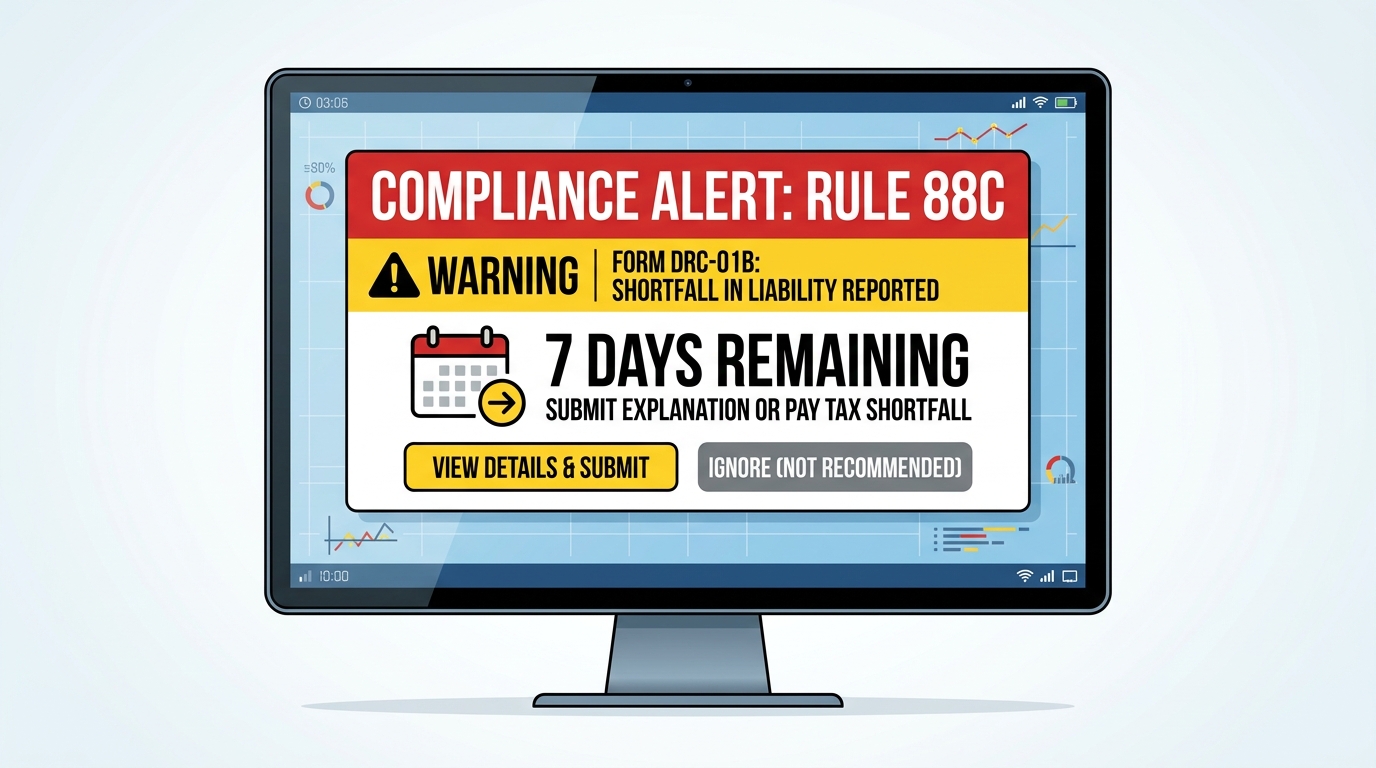
If the tax liability reported in your GSTR-1 exceeds the liability paid in your GSTR-3B by a predefined tolerance limit, the GST portal automatically triggers a system-generated intimation in Form DRC-01B. Once this intimation is sent to your registered email and portal dashboard, the clock starts ticking.
Taxpayers are given a strict 7-day response window to take action. You must do one of two things:
- Pay the Difference: Pay the differential tax liability along with applicable interest using Form DRC-03 via the cash ledger.
- Submit an Explanation: Provide a valid reconciliation explanation on the portal justifying why the mismatch occurred (e.g., an error corrected in next month's return, or timing issues).
If you fail to reply or pay the difference within 7 days, the portal will automatically block your ability to file GSTR-1 or the Invoice Furnishing Facility (IFF) for the subsequent period. This block is system-enforced and will not be lifted until a valid DRC-01B response is filed, creating a major bottleneck that prevents you from passing on credit to your buyers.
The Trap of Rule 88D and Form DRC-01C
Mismatches do not just happen on the sales liability side. Rule 88D monitors discrepancies in your claimed Input Tax Credit (ITC). If the ITC claimed in your GSTR-3B exceeds the eligible credit visible in your auto-drafted GSTR-2B by more than a 5% tolerance threshold, the portal triggers an automated warning in Form DRC-01C.
Similar to DRC-01B, you have just 7 days to explain the excess credit claim or reverse the excess ITC with interest via DRC-03. Ignoring this warning will result in the portal blocking your subsequent GSTR-1 filing, showing how critical it is to actively monitor your vendors. You can evaluate your supplier reliability score using our guidelines to ensure your vendors file on time and protect your business from getting DRC-01C notices.
Step-by-Step Pre-Verification Checklist Before You File GSTR-3B
To prevent DRC-01B and DRC-01C warnings, you must implement a pre-verification process. Reconciling your numbers before you hit submit on the portal is the best way to secure your business from audits. Here is a step-by-step pre-filing checklist:
Step 1: Reconcile Sales Register with GSTR-1 Draft
Before finalizing your GSTR-1, compare it against your local sales register. Ensure that every invoice number, taxable value, and tax rate matches your physical records. Any discrepancy found here must be corrected in the draft GSTR-1 before filing.
Step 2: Cross-Check GSTR-1 Filed Summary with GSTR-3B Table 3.1
Once your GSTR-1 is filed, the portal automatically populates your GSTR-3B Table 3.1 (Outward Supplies). Review these auto-populated figures. If you need to make changes, ensure the differences are minor and fully documented. If there is a major change, investigate why the mismatch occurred before proceeding.
Step 3: Verify Eligible ITC via GSTR-2B
On the 14th of every month, download your GSTR-2B. Reconcile this statement with your purchase book. If an invoice is missing, do not claim the credit in GSTR-3B; keep it pending. Only claim credit that is visible and verified in GSTR-2B. (Refer to our detailed GSTR-3B return filing guide for walkthrough details on reconciling input credit.)
Step 4: Check Automated Interest Calculations
Under Table 5.1 of GSTR-3B, the portal automatically calculates interest on any delayed tax payments. The minimum interest amount is now non-editable. Ensure you have a sufficient balance in your electronic cash ledger to cover these charges, as unpaid interest can block return submission.
Automating Reconciliation to Eliminate Mismatches
If you manage your accounting manually using spreadsheets, following this checklist is a major operational burden. Manually matching hundreds of sales bills and purchase vouchers against portal PDFs takes hours and leads to human errors that invite tax warnings.

This is where smart billing software like Smart Bill Book becomes essential. Smart Bill Book is designed for Indian MSMEs to automate invoice matching. When you record sales, the software automatically structures the data to match GST portal parameters, generating error-free GSTR-1 summaries. Furthermore, the software connects with your purchase book, automatically flagging GSTR-2B mismatches and warning you about potential DRC-01C triggers before you file. Our complete GST filing guide for small retailers explains how automated tools protect you from tax penalties and keep your credit secure.
Conclusion & Best Practices for Zero Mismatches
Continuous tax compliance is the new normal. To protect your business from DRC-01B and DRC-01C warning notices, keep these best practices in mind:
- File on Time: Always file GSTR-1 by the 11th and GSTR-3B by the 20th of the month. Filing late automatically triggers automated interest calculations and vendor mismatches.
- Adopt Pre-Verification: Reconcile your sales book with GSTR-1, and your purchase book with GSTR-2B, before finalizing your monthly return.
- Act Fast on Notices: If you receive a DRC-01B or DRC-01C intimation, reply within the 7-day window to avoid getting your subsequent return filings blocked.
- Digitize Your Ledger: Stop relying on paper records and spreadsheets. Use Smart Bill Book for Windows or Android to maintain a clean ledger, automate tax reconciliation, and run your business with complete peace of mind.
Download Smart Bill Book today to simplify your GST billing, automate compliance, and grow your business without tax worries.
Frequently Asked Questions (FAQs)
What is Form DRC-01B?
Form DRC-01B is an automated portal intimation sent when your reported sales liability in GSTR-1 exceeds the tax paid in GSTR-3B for a specific tax period.
What is the timeline to reply to a DRC-01B or DRC-01C notice?
You must pay the differential tax discrepancy or submit an online explanation justifying the mismatch within 7 days of receiving the intimation on the portal.
What happens if I ignore a DRC-01B mismatch notice?
If you do not reply or pay within 7 days, the portal will automatically block your ability to file GSTR-1 or the Invoice Furnishing Facility (IFF) for the subsequent period, preventing you from passing on ITC to your customers.
Can I edit the interest amount in Table 5.1 of GSTR-3B?
No. The interest on late payment of tax is auto-calculated by the portal system and is non-editable for the minimum interest due, ensuring that interest charges are recovered on all late filings.
Start Billing Smarter Today 🚀
Join over 1 Lakh businesses using the best billing app in the market.